


Space Launch Schedule
4.2138.00 Reviews
App Specs
- Version
- 8.2.1
- Updated On
- License
- Free
- Downloads
- 100,000+
- Developer
- Kickstand Technology Inc
- Categories
- Events
- Platform
- Android
Screenshots
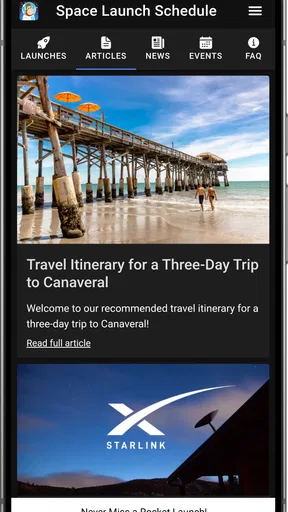
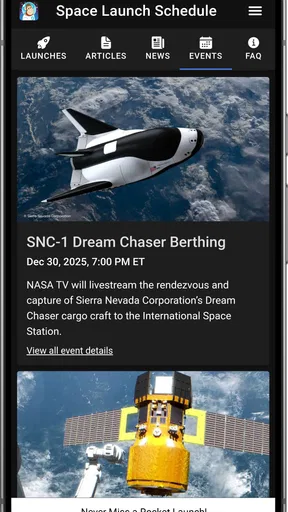
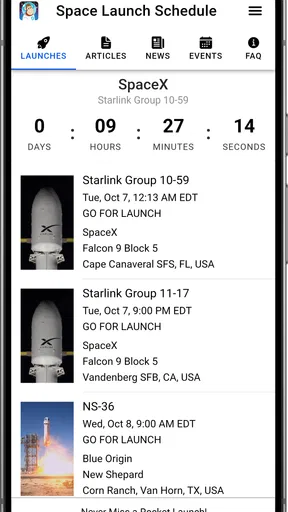
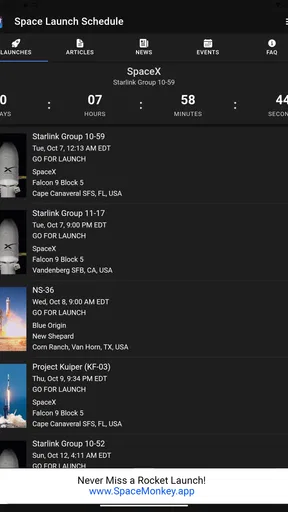
 Analysis by AppCompare
I like the idea behind Space Launch Schedule: make it easier to follow launches from different parts of the world without having to piece together a calendar from scattered sources. For someone who checks in on spaceflight now and then, that focus is useful. The app is free, and its purpose is clear; it is at its best when I want a quick sense of what is coming up and a reason to look closer at a mission.
That straightforward role is also the best way to judge it. This is an events app from Kickstand Technology Inc, built around rocket launch schedules rather than general astronomy or a full space-news reading experience. I would reach for it to follow launch activity and plan around a notable event, not as my only source for every detail of a mission or as a replacement for a broadcaster’s live coverage.
A launch calendar is most useful when you have a reason to check it
The practical value is less about browsing endlessly and more about turning a passing interest into a small routine. I might check the schedule with breakfast, notice a launch that catches my attention, and make a note to look again closer to the event. That is a better fit for a calendar-led app than expecting it to keep me entertained every time I open my phone.
Launch plans can change, so I treat any schedule as a guide rather than a promise. If I’m arranging my evening around a particular event, I would check the app again before settling in and use a dedicated live source when it is time to watch. That extra step is sensible for launch viewing in general; a listed time is not the same thing as a guarantee that a rocket will lift off on schedule.
Useful context, with a few reasons to keep expectations grounded
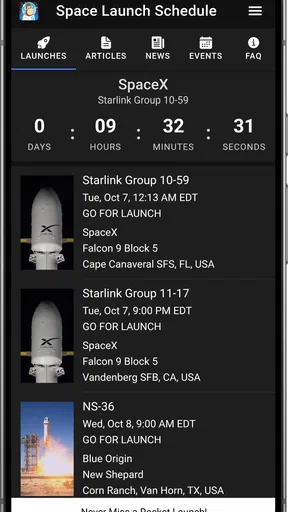
The app’s appeal is the combination of dates and mission context. Seeing a launch site and rocket type alongside the event helps me understand what I’m looking at instead of treating every entry as an interchangeable countdown. For newcomers, that context can make the schedule less intimidating; for regular followers, it gives a quick reminder of why a launch is worth paying attention to.
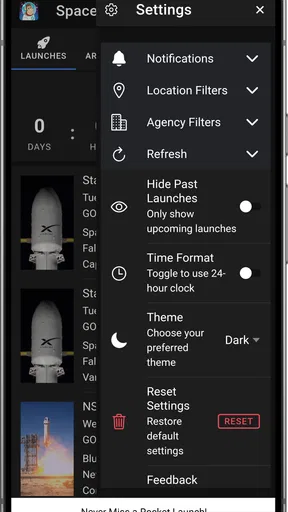
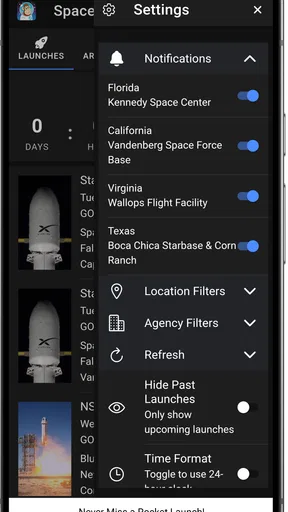
I also like having the option to make alerts more relevant to my interests. A person who follows a particular launch provider can focus their attention rather than feeling obliged to track everything. The trade-off is that alerts are only helpful if I choose them carefully: too broad, and they become noise; too narrow, and I may overlook an event I would have enjoyed. I would start with a small set of preferences and adjust after seeing what actually matters to me.
Who I’d recommend it to
With an average rating of 4.2 from 382 ratings, it has found an audience, though that number alone cannot tell me whether its particular mix of schedule, context, and community suits every user. It has more than 50,000 installs, is rated for Everyone, and is free to use. The current version is 8.2.0, and it runs on Android 6.0 or later, making it an option for people using older Android devices as well as newer ones.
Worth Reading Before You Choose

EA SPORTS FC Mobile 26 Is a Bigger Football Game, but It Takes Time

Flipboard Shows What News Apps Must Do Beyond the Feed

Switching to Android Auto Means Rethinking Your Driving Routine

Google Calendar Makes a Crowded Week Easier to Manage

Ludo King Makes the Most of the Minutes Between Plans

Baby Panda World Brings Quick Play to Modern Phones, but Its Game Library Feels Busy
I’d recommend it to curious newcomers, casual followers who want a convenient launch calendar, and enthusiasts who like having mission information and discussion close to the schedule. I’d be less likely to recommend it to someone who only wants a polished live broadcast, specialist technical analysis, or a broad astronomy guide. Those are different jobs, and a dedicated stream, mission source, or skywatching app may serve them better.
What Makes Space Launch Schedule Stand Out?
First off, the user interface is clean and intuitive. I’m talking slick design with easy navigation. Open the app, and you're greeted with a calendar view that showcases all the upcoming launches. The minimalistic design ensures that nothing distracts you from the main event: the launches themselves.
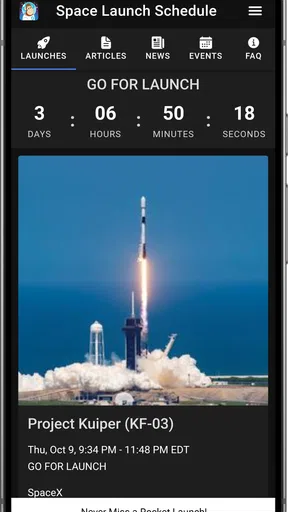
One feature I absolutely love is the detailed information provided for each mission. Clicking on a launch will give you everything from the rocket type and launch site to the mission objectives. It's like having a mini encyclopedia in your pocket. Plus, the notifications feature ensures you never miss a launch, even if you’re on the go.
Personalizing Your Space Experience
Now, here’s where it gets personal. The app lets you customize notifications based on your interests. Interested in SpaceX missions? Just set your preferences and receive alerts tailored to your taste. It’s like having a personal assistant who’s obsessed with space as much as you are.
Additionally, the app includes a news section, keeping you updated with the latest in space exploration. From groundbreaking discoveries to new satellite launches, it's all right there at your fingertips. Trust me, it’s a thrill to stay informed about the next big leap for mankind.
The Social Aspect
What’s even cooler is the community vibe. The app offers a platform for discussion among users, where you can share thoughts on missions, speculate on future launches, or even debate the implications of new space technologies. It’s like joining a club of fellow enthusiasts who share your passion for the cosmos.
And don't even get me started on the live streams. For those of us who can't be there in person, this feature is a game-changer. Watch launches live, complete with expert commentary. It feels as though you’re standing right there at the launch site, feeling the rumble of the engines and witnessing history in the making.
Watching a launch without turning it into a project
The easiest way to get value from the schedule is to pick one event that genuinely interests you rather than trying to follow every entry. I’d scan the calendar, open the mission details, and decide whether the rocket, site, or objective gives me a reason to tune in. That small choice keeps the app useful without turning launch tracking into another feed I feel obliged to clear.
For a realistic evening plan, I might notice a launch while commuting home, save the event mentally, then check the schedule again after dinner. If it is still planned, I can look for a broadcast separately and make time for it. This two-step habit matters: the schedule helps me notice and understand the event, while a live source is better suited to the actual viewing experience.
It also helps to think about alerts as reminders, not as a substitute for checking the event. A notification can bring a launch back to my attention, but I would still revisit the listing if I have made plans around it. That is especially useful when following events across different launch sites: I pay attention to the listed local context instead of assuming that every time will fit neatly into my own routine.
Where it fits among other space apps
Compared with manually checking several space-agency or launch-provider pages, a schedule-first app can be a more convenient starting point: I can browse upcoming events in one place and then follow the source that best suits a particular mission. The convenience is the point, not a claim that one calendar can replace every organization’s own updates.
Compared with a general news app, this is a narrower tool. A news feed may be better for broad developments, while a dedicated launch schedule gives the event itself more prominence. And compared with a streaming app, it serves the planning stage rather than the viewing stage. I see those as complementary roles: use the calendar to decide what matters, then use a specialist source when I want deeper reporting or a live picture.
The community and news elements can make the experience feel more rounded, but they are not the main reason I would install it. If I already have a favorite source for discussion or reporting, I can keep using it; the schedule still has value as a focused place to check what is coming. Conversely, someone seeking only conversation or continuous news may find a launch-centered app too specific.
Small habits that make the schedule more useful
I would avoid enabling every alert immediately. Start with the missions or providers you already care about, then broaden the selection only if the reminders feel manageable. This is a simple way to keep notifications meaningful, especially for someone who is new to launches and has not yet learned which events they want to follow.
Another useful habit is to open the mission details before sharing or discussing an event. Checking the rocket and launch site gives the conversation a concrete starting point and helps distinguish one mission from another. It is a modest extra step, but it makes the app’s context more useful than simply repeating a date from a calendar.
For a first launch viewing, I would use the app to discover an event well ahead of time, then check the listing again on the day and choose a separate broadcast source. If timing is the only thing I care about, I would not rely on any single calendar as the final word. That cautious workflow preserves the app’s strength as a discovery and planning tool while avoiding disappointment when launch plans shift.
What to expect before installing
A likely question is whether it is worthwhile for someone who does not know much about rockets. I think so, provided the person is curious enough to open a mission entry and learn from its context. The calendar offers a natural starting point, but the app is more rewarding when I treat each listing as an invitation to explore rather than expecting it to teach an entire course in spaceflight.
Another practical question is whether it replaces a live stream. I would say no: even though the app includes live streams, anyone whose priority is watching a particular launch should still be ready to use a dedicated broadcast source. Likewise, someone looking for deep technical reporting may want to pair it with specialist coverage rather than expect the schedule itself to answer every engineering question.
As an everyday tool, it is best for quick checks and occasional planning, not constant attention. I can see it fitting a casual routine without asking me to track every mission. If I stop caring about launches for a while, it does not need to occupy much space in my day; when a notable event appears, the calendar gives me a convenient way back in.
Final Thoughts
In a world where being informed is everything, Space Launch Schedule delivers in spades. It’s not just an app; it’s your gateway to the stars. With its comprehensive features, user-friendly design, and a community of like-minded space enthusiasts, it’s a must-have for anyone with a curiosity about what lies beyond our planet.
So, if you haven't already, I highly recommend downloading the app. Whether you're a seasoned space buff or a newcomer to the world of rockets and satellites, Space Launch Schedule will keep you informed, engaged, and, most importantly, excited about the endless possibilities that space exploration holds.
Pros
- Comprehensive launch details.
- Real-time updates and alerts.
- User-friendly interface.
- Customizable notification settings.
- Covers global launch sites.
Cons
- Requires stable internet connection.
- Ads can be intrusive.
- Limited offline functionality.
- Some features need premium access.
- Occasional data syncing issues.
FAQs for Space Launch Schedule
What features does the Space Launch Schedule app offer?
The Space Launch Schedule app provides users with up-to-date information on upcoming rocket launches worldwide. It includes details such as launch time, location, and mission purpose. Users can also access countdown timers, mission descriptions, launch vehicle info, and live streaming links, making it a comprehensive tool for space enthusiasts.
Is the Space Launch Schedule app free to use?
Yes, the Space Launch Schedule app is free to download and use. However, it may offer in-app purchases or ads to support development and maintenance. These options are designed to enhance the user experience with additional features, such as ad-free browsing or exclusive content.
How frequently is the launch information updated in the app?
The Space Launch Schedule app is updated regularly to ensure users receive the most current information. Updates occur as new launch details are confirmed or existing schedules change. The app pulls data from reliable space agencies and organizations, ensuring accuracy and timeliness for its users.
Can I set reminders for upcoming launches within the app?
Yes, the Space Launch Schedule app allows users to set customizable reminders for upcoming launches. You can choose how far in advance you wish to be notified, ensuring you never miss an important event. This feature is particularly useful for avid space enthusiasts who want to follow every launch.
Does the app cover international space launches?
Absolutely, the Space Launch Schedule app covers launches from around the globe. Whether it's NASA, ESA, SpaceX, Roscosmos, or other agencies, you'll find detailed information about international launches. This global coverage makes the app a valuable resource for anyone interested in the international space community.


